
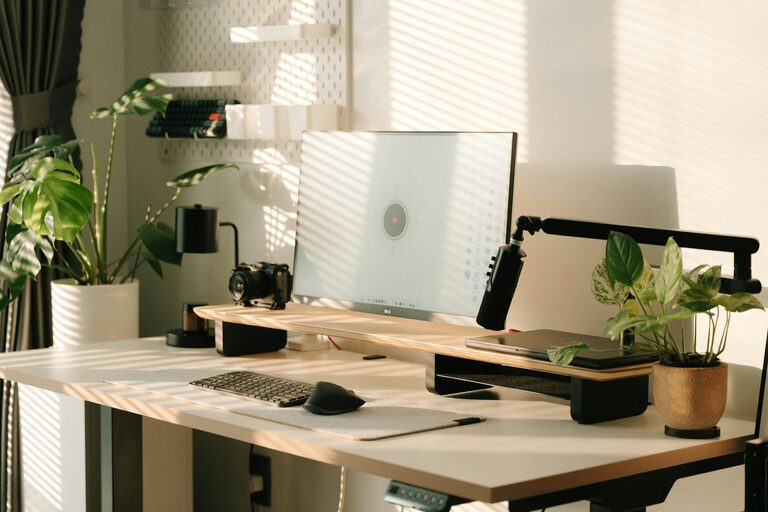
Creating a productive home workspace is essential for anyone who works or studies from home. A well-designed area not only boosts focus but also reduces stress and increases efficiency. Whether you have a dedicated room or a small corner, the goal is to create a space where you feel comfortable and motivated. Here are some practical tips to help you set up a home workspace that supports your productivity.
Choose the Right Location
The first step is finding the best spot in your home for your workspace.
– Quietness Matters: Select a place away from high-traffic areas like the kitchen or living room to minimize distractions.
– Natural Light: A spot near a window can provide natural light, which helps reduce eye strain and improve mood.
– Space for Equipment: Ensure you have enough room for your desk, chair, and any other tools you need.
Invest in Comfortable Furniture
Comfort plays a big role in productivity.
– Ergonomic Chair: Choose a chair that supports your back and encourages good posture.
– Appropriate Desk: Pick a desk that fits your space and allows you to keep your essentials organized.
– Standing Option: Consider a sit-stand desk or a desk converter to alternate between sitting and standing throughout the day.
Organize Your Workspace
Keeping your area tidy helps maintain focus.
– Declutter: Remove unnecessary items and keep only what you regularly use.
– Storage Solutions: Use shelves, drawers, or boxes to keep everything in its place.
– Cable Management: Use clips or sleeves to organize cables and prevent them from tangling.
Personalize Your Space
Adding personal touches can make your workspace inviting.
– Decor: Add a few items like plants, artwork, or photos—but avoid clutter.
– Colors: Choose colors that help you feel calm and focused, such as soft blues or greens.
– Lighting: Use a desk lamp with adjustable brightness to reduce eye strain during evening work.
Minimize Distractions
Reducing interruptions helps you stay on task.
– Noise Control: Use noise-canceling headphones or white noise machines if background sounds are distracting.
– Technology Boundaries: Keep your phone on silent or in another room during focused work periods.
– Clear Rules: If you share your home, communicate your work hours and the importance of minimizing interruptions.
Utilize Technology Wisely
The right technology can improve your workflow.
– Reliable Internet: Ensure a strong and stable internet connection.
– Tools and Apps: Use productivity apps for task management, calendar scheduling, and note-taking.
– Backup Solutions: Regularly back up your work to avoid data loss.
Schedule Breaks and Movement
Staying productive means balancing work and rest.
– Regular Breaks: Follow techniques like the Pomodoro method—25 minutes of work followed by a 5-minute break.
– Stretching: Take short stretch breaks to prevent stiffness.
– Change of Scenery: If possible, step outside or move to a different room during longer breaks to refresh your mind.
Maintain Healthy Habits
Your workspace should support your well-being.
– Hydration: Keep water nearby and drink regularly.
– Posture Check: Adjust your chair and desk to maintain good posture.
– Eye Care: Practice the 20-20-20 rule: every 20 minutes, look at something 20 feet away for 20 seconds to ease eye strain.
Review and Adapt
Your needs may change over time.
– Regular Evaluation: Periodically assess if your workspace is still meeting your needs.
– Adjustments: Try new arrangements, furniture, or tools if your current setup isn’t working.
– Feedback: If you work with others remotely, ask for feedback about your productivity and how your workspace might improve.
—
By following these tips, you can create a home workspace that helps you stay focused, comfortable, and productive. Remember that the perfect setup is unique to you. Take time to experiment and make changes until you find what works best. A well-designed workspace is a great investment in your success and well-being while working from home.